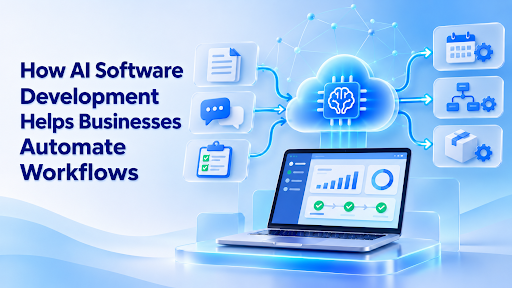

Businesses handle many tasks every day. Employees answer questions, review documents, update systems, prepare reports, send emails, and move data from one tool to another. These tasks are important, but many are repetitive. They also take time and can lead to mistakes.
An ai software development company can help businesses build software that automates these daily workflows. AI can read information, understand requests, find patterns, suggest actions, and complete tasks with less manual work.
This does not mean that AI replaces every employee. Instead, it helps people spend less time on routine work and more time on planning, problem-solving, and customer service.
AI software can support many business areas, including sales, finance, healthcare, logistics, customer support, education, and online services. When it is built around a real business process, AI becomes more useful than a simple chatbot or basic automation tool.
What Is AI Workflow Automation?
AI workflow automation means using artificial intelligence to manage parts of a business process. The software can collect information, understand it, make a decision, and start the next step.
Traditional automation follows fixed rules. For example:
- When a form is submitted, send an email.
- When an invoice is paid, update the order.
- When a customer creates a ticket, alert the support team.
AI automation can handle more complex tasks. It can read an email, understand the customer’s problem, check past records, and send the request to the right team.
This makes AI useful when the information is not always the same. Emails, documents, support tickets, and customer messages can have different wording each time. AI can understand this content and help move it through the workflow.
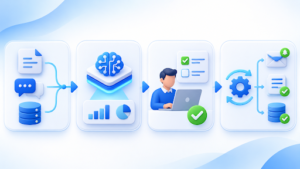
A complete AI workflow may include:
- Data collection
- AI analysis
- A suggested decision
- Human approval
- Automatic action
- Tracking and reporting
The business decides how much control the AI should have. Some tasks can run automatically. Other tasks may need a human review before the final action.
Why Businesses Are Using AI to Automate Work
Many businesses still depend on manual processes. Employees may copy information between spreadsheets, search through documents, or repeat the same replies every day.
This creates several problems:
- Work takes longer.
- Employees lose focus.
- Small mistakes become common.
- Customers wait for answers.
- Managers have less time for important decisions.
AI can reduce these problems by handling routine work. It can sort messages, summarize files, create drafts, answer simple questions, and update business systems.
For example, a sales team may receive hundreds of messages each week. AI can read each message, identify the customer’s needs, and mark the most important leads for quick follow-up.
A finance team may receive invoices in different formats. AI can extract the supplier name, amount, date, and payment terms. The information can then be sent to an accounting system for review.
A support team can use AI to answer common questions. If the issue is more complex, the software can send the conversation to a human agent with a short summary.
The goal is not to automate everything. The goal is to remove repeated work so employees can focus on tasks that need judgment and experience.
How Deventity Helps Businesses Automate Workflows
Businesses often need more than a basic AI tool. They may need software that connects AI with their existing website, CRM, database, payment system, or internal dashboard.
A development team can study the current workflow, find slow steps, and build a solution around the company’s real needs.
The process usually starts with discovery. The team looks at:
- Who uses the system
- What problem needs to be solved
- Which tasks take the most time
- Which tools are already in use
- What data must be protected
- Where human approval is needed
- How success will be measured
After this review, the team can create a practical plan. The plan may include AI software development services, custom AI development, AI integration services, or a complete business platform.
A custom solution can include a customer dashboard, AI assistant, document tool, workflow engine, reporting page, or internal automation system.
The most useful systems are built in small steps. A business may start with one workflow, test the result, and then add more features after learning what works.
Common Workflows AI Can Automate
AI can support many business processes. The best use depends on the company, its data, and its goals.
Customer Support
AI can read support messages and identify the customer’s problem. It can suggest a reply, find a help article, or send the ticket to the correct department.
A chatbot can answer simple questions about orders, prices, opening hours, account steps, or product features. Complex issues can be passed to a human team member.
This helps customers get faster answers while support employees spend more time on difficult cases.
Sales Follow-Up
Sales teams often receive leads from websites, social media, forms, and email. AI can collect these leads and sort them by interest.
It can read a message and decide whether the person wants a product demo, a price quote, or more information. The system can then send a suitable reply or create a follow-up task for a sales employee.
AI can also summarize previous conversations before a sales call. This helps the employee understand the customer without searching through many notes.
Document Processing
Many businesses work with invoices, contracts, forms, and reports. Reading these documents by hand can take many hours.
AI can extract important information from files and place it into a database. It can identify names, dates, totals, addresses, and other details.
The software can also compare documents and flag missing information. A person can review the result before it is saved or used.
Employee Onboarding
New employees need accounts, documents, training, and access to company tools. This process often involves many departments.
AI can guide the new employee through the steps. It can answer common questions, check whether documents are complete, and notify the right teams.
This creates a smoother experience and reduces the amount of manual follow-up needed from HR staff.
Inventory and Logistics
AI can help businesses track stock, orders, deliveries, and supplier messages. It can identify low-stock items and notify the purchasing team.
Machine learning software development can also help predict demand. The system may review past sales, seasons, and customer behavior to suggest how much stock may be needed.
In logistics, AI can help group delivery requests, identify delays, and send updates to customers.
AI Chatbots and Business Assistants
AI chatbot development is one of the most common ways businesses start using AI.
A chatbot can appear on a website, inside a mobile app, or in an internal company tool. It can answer questions using approved business information.
A basic chatbot may use fixed answers. A more advanced chatbot can understand natural language and provide helpful responses based on documents, customer records, or a knowledge base.
For example, an employee could ask:
- “What is our refund policy?”
- “Which customer orders are delayed?”
- “Show the sales report for this month.”
- “Create a follow-up task for this lead.”
The assistant can find the right information and present it in a simple way.
Chatbots should still have limits. They should not make sensitive decisions without review. Businesses should also decide which users can access private information.
RAG Application Development for Better Answers
RAG means retrieval-augmented generation. It helps an AI system find information from trusted company documents before creating an answer.
This is useful because a general AI model may not know the company’s latest policies, product details, or internal processes.
With RAG application development, the system can search approved documents and use the results to answer a question.
For example, a customer support assistant may search:
- Product manuals
- Help center articles
- Return policies
- Service agreements
- Internal support notes
The AI then creates an answer based on the information it found.
This can make responses more useful and reduce the risk of using old or unrelated information. The source documents should still be reviewed and updated by the business.
Connecting AI With Existing Business Tools
Most companies already use several software systems. They may have a CRM, email platform, accounting tool, project manager, help desk, and database.
AI is more useful when it can work with these tools. This is where AI integration services become important.
An integration can allow AI to:
- Read new CRM records
- Check order information
- Update a customer profile
- Create a task
- Send a notification
- Save a support summary
- Start an approval process
For example, a new form submission can start a complete workflow. AI reads the form, checks the information, creates a CRM record, sends a reply, and alerts a sales employee.
Without integration, employees may need to copy the same information into several systems. A connected workflow reduces this extra work.
Generative AI Development for Business Workflows
Generative AI can create text, summaries, reports, emails, code, and other content. Businesses can use it to speed up work that normally starts from a blank page.
Some examples include:
- Drafting customer replies
- Writing meeting summaries
- Creating product descriptions
- Preparing internal reports
- Generating marketing ideas
- Turning notes into tasks
- Creating first drafts of documents
Generative AI should not be trusted without review in every situation. It can make errors, misunderstand instructions, or create information that is not supported by the source data.
A strong workflow gives the AI clear instructions and adds checks before the result is sent or saved. This creates a balance between speed and accuracy.
Machine Learning for Better Business Decisions
Machine learning software development can help businesses find patterns in large amounts of data.
Unlike a simple rule, a machine learning model can learn from past examples. It can use that information to make predictions or identify unusual activity.
Businesses may use machine learning to:
- Predict customer demand
- Identify possible fraud
- Estimate delivery times
- Find unusual payments
- Recommend products
- Predict customer churn
- Improve search results
The quality of the result depends on the quality of the data. If the data is incomplete or biased, the prediction may not be reliable.
Companies should test machine learning systems with real examples and continue checking their performance after launch.
Benefits of AI Automation Solutions
AI automation solutions can offer several benefits when they are planned correctly.
Faster Work
AI can complete repetitive steps in seconds. Employees do not need to wait for every message, form, or document to be handled manually.
Fewer Mistakes
A well-tested system can reduce errors caused by copying, typing, or forgetting a step.
Better Customer Service
Customers can receive quick replies and clear updates. Support teams can focus on complex problems.
Lower Operating Costs
Automation may reduce the amount of time employees spend on routine work. This can help businesses use their resources more effectively.
Easier Growth
Manual work often becomes harder as a company grows. Automated workflows can handle more requests without increasing every task by the same amount.
Better Business Visibility
AI systems can track workflow results and create reports. Managers can see where work is delayed and which processes need improvement.
Enterprise AI Solutions Need Strong Planning
Large companies need more than a quick AI experiment. Enterprise AI solutions must work with business rules, security policies, user roles, and existing systems.
Before development starts, the company should decide:
- Which data the AI can access
- Which users can view the results
- When human approval is required
- How the system will be monitored
- How errors will be handled
- How information will be stored
- How the system will scale
Security should be part of the design from the beginning. Sensitive customer, employee, and financial data needs strong access control.
Businesses should also keep records of important AI decisions. This makes it easier to review the system and find problems.
Why Human Review Still Matters
AI can handle many tasks, but it should not make every decision alone.
Human review is important when the result affects money, health, legal issues, employment, or customer rights.
A good workflow can use different levels of control:
- AI suggests an answer.
- A human approves the answer.
- The system completes the action.
- The result is saved for review.
For low-risk tasks, full automation may be acceptable. For high-risk tasks, a human should remain involved.
This approach helps businesses use AI in a safe and practical way.
How to Start an AI Workflow Project
A business does not need to automate every process at once. A small first project is often the best choice.
Start by finding a task that:
- Happens often
- Takes a lot of time
- Follows a clear process
- Uses available data
- Has a simple way to measure success
Customer support sorting, document extraction, sales follow-up, and report creation are common starting points.
Next, write down the current workflow. List each step, the person responsible, the software used, and the common problems.
Then decide what AI should do and what employees should continue to handle. Build a small version, test it with real users, and improve it based on feedback.
The project should have clear goals. For example:
- Reduce response time
- Lower manual data entry
- Improve document accuracy
- Increase completed follow-ups
- Reduce support backlog
Final Thoughts
AI software development helps businesses automate workflows by connecting intelligent software with real business processes.
It can sort customer messages, process documents, support sales teams, answer questions, predict demand, and connect different tools. It can also help companies build chatbots, RAG applications, machine learning systems, and enterprise AI platforms.
The most successful projects begin with a clear problem. They do not use AI only because it is popular. They use it where it can save time, improve service, reduce errors, or help employees make better decisions.
Businesses should also keep human review, security, and data quality in mind. AI is powerful, but it works best when it supports people instead of operating without control.
With careful planning and custom development, AI can turn slow manual processes into faster, clearer, and more useful workflows.